
Intuitive interface
Clear structure, fewer clicks, faster results.
Plan faster. Build with confidence.
Dietrich’s neo is our proven software available as a convenient subscription. Benefit from the familiar performance of our solutions and use all features of Version 26 — enhanced with a modern interface, our integrated AI assistant D‑Bot, and additional exclusive features that make your daily work easier and more efficient.
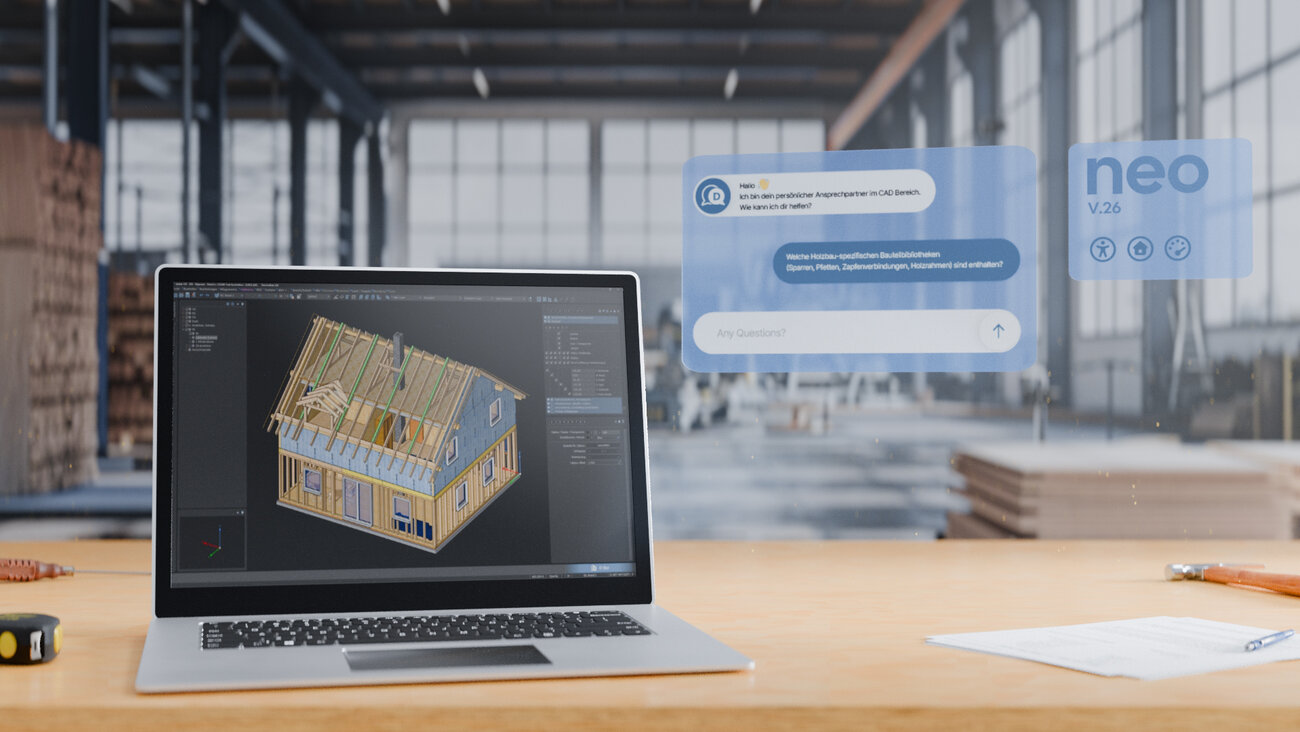
Clear structures, professional design, and functions exactly where you need them. This reduces search times, speeds up routine tasks, and shortens onboarding for the entire team.
Context menus appear directly at the cursor, commands are logically grouped, and tooltips explain the next step. The preselection shows a preview even before you click. If you prefer, you can use familiar CAD mouse logic or switch to the classic input mode at any time.
D‑Bot is your personal AI assistant integrated directly into the software. It gives you access to the entire Dietrich’s documentation through an interactive chat that guides you step by step through tasks and provides context‑aware answers

Clear structure, fewer clicks, faster results.
Uniform mouse behavior for a smoother workflow.
AI assistant providing answers right within the application.
Quick actions, smooth workflows, faster results.
Precision planning and reliable machine handover.
Commands appear exactly where you are working: logically grouped, with icons and clear-text tooltips — plus quick access to “Recently used” and a control menu (e.g., measuring, volume info). This reduces search paths and clicks, keeps your focus on the model, and minimizes errors because you trigger the right action directly in context.
Dietrich’s neo follows common CAD conventions, allowing experienced users to feel at home immediately and helping teams become productive faster. If preferred, you can switch to the classic input mode at any time — without relearning and without interrupting your workflow.
The integrated assistant searches through the entire documentation, provides solutions with source references, and guides you step by step through tasks — directly in your working context. This way, you find answers without detours, shorten onboarding, and back up your decisions in complex projects.
The modern, streamlined interface of Dietrich’s neo puts the essentials front and center: clear structures, high‑contrast readability, and functions exactly where you expect them. This helps you find tools faster, make decisions with greater confidence, and reach results without detours — with shorter onboarding and noticeably smoother routines.
Context menus are logically grouped and open on hover — including short help texts. When selecting an item, you see the relevant editing options and can immediately create new objects of the same type; without a selection, right‑clicking opens the base menu. The control menu (hold RMB + move right) and Recently Used (hold RMB + move down) give you instant access to measuring tools and your last commands — fewer steps, higher efficiency.
You first select the object and immediately see what the next step will do — the preview at the cursor gives you confidence before anything is changed permanently. Using “Similar,” you can extend the selection to matching elements and apply recurring adjustments in a single step.
Related program modules are consolidated (e.g., roof layout + roof structure → Roof), allowing processes to run without switching between sections. For example, you can adjust the roof geometry and update the structural components directly within the same context — fewer clicks, fewer cognitive shifts, more speed.
Wall orthophotos can be displayed directly in views and sections, documenting the existing structure precisely along the section path. This provides reliability for renovation, remodeling, and quality assurance, because planning and reality can be checked against each other with exact alignment.
Automatic detection of machining features ensures unambiguous dimensioning and reliable machine output. Different cases — such as notch vs. pocket, opening vs. recess, or round opening vs. drilling — can be controlled precisely, reducing misunderstandings and minimizing rework.
The most common case — “base point → target point” — is optimized for minimal interaction and feels exceptionally smooth thanks to clear guidance. When needed, you can reveal additional options with the space bar — without switching modes and without breaking your flow.
You can remove unwanted elements directly using the DEL key — especially efficient in combination with preselection, for example after DXF/IFC imports. This noticeably speeds up cleanup work and eliminates detours through separate dialogs.
After focused detail work, “Show all objects” and “Enable all layers” restore the full overview in a single step. This supports reviews, approvals, and handovers, because you can switch from detail view to the overall view at any time and with minimal effort
Start without a major upfront investment and try Dietrich’s neo on real projects. This makes onboarding easy and relaxed, and you can switch between editions whenever needed. With predictable costs and transparent terms instead of high one‑time fees, you stay in full control at all times.

Stay flexible with the Dietrich’s subscription and easily adapt your software setup to your current needs. During peaks or slow periods, you can adjust your usage as required and switch between editions depending on workload and team size.
With Dietrich’s neo, you always work with the latest program version. We provide you with automatic, regular updates and enhancements to our software products. This ensures you’re always working with a sharp, up‑to‑date tool.

Benefit from our unique Dietrich’s service through the subscription model. As a neo user, you receive prioritized premium support, ensuring you’re the first to be up and running again — fully aligned with your individual working rhythm.

You gain exclusive access to our e‑learning platform with extensive video tutorials and online help. Always available and accessible from anywhere — flexible, personalized, and tailored to your needs. This saves both time and costs for on‑site training and for onboarding new employees.

The long wait for updates is over. Benefit from new features sooner and be the first to use new functionality in your daily projects. This keeps your team modern and ensures you continuously benefit from ongoing improvements.

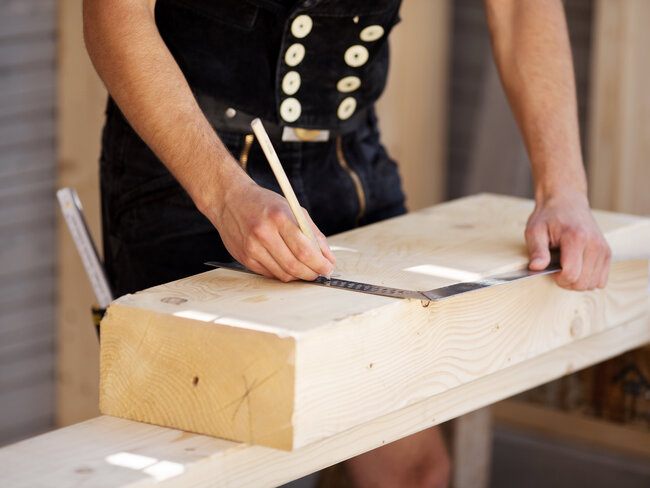
3D construction made easy, intuitive, and flexible
With D‑CAD Flex, any planned timber construction can be realized effortlessly using the right digital tools.
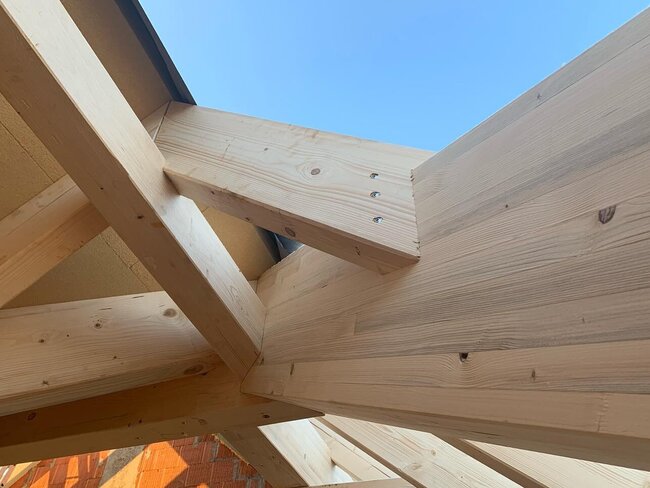
From simple or complex roof structures to carports, other timber buildings, and ceiling or wall elements — timber construction planning knows no limits.
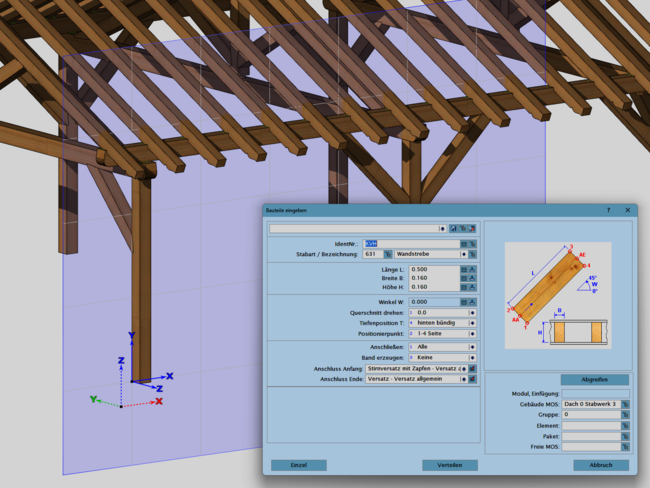
Carpentry‑friendly dialogs generate all roof components, which react to one another (e.g., notches between rafters and purlins) as well as to changes in the roof surface. Roof openings, such as for chimneys or roof windows, are automatically framed on request.
All other constructions are created using free 3D input. With the help of flexible working planes, all beam‑shaped and panel‑shaped components — with or without cross‑section profiles — can be generated very efficiently.
For output, targeted plan views derived from the 3D model are available and can be refined in the 2D PlanCAD environment. Material lists are generated directly from the model, and the finished construction can be shared with all stakeholders (client, production, transport, assembly, etc.) via the web viewer.
Key features
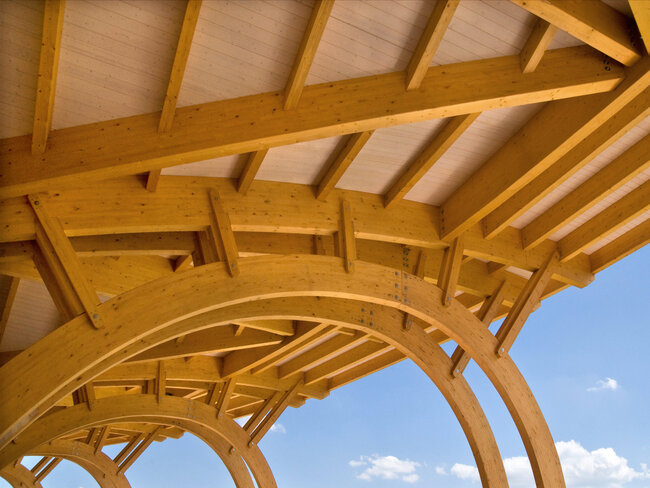
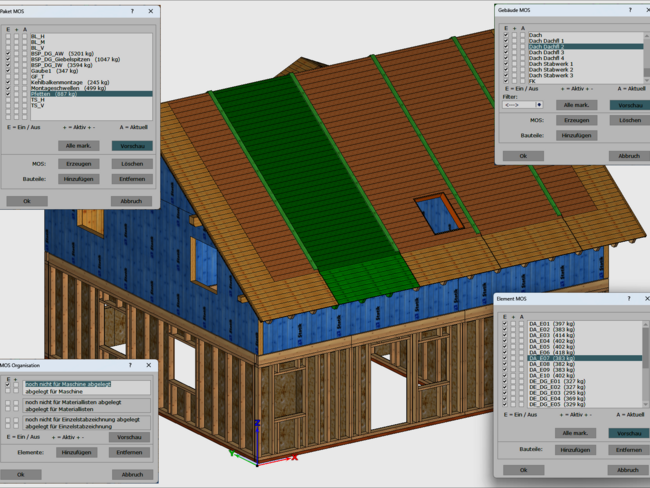
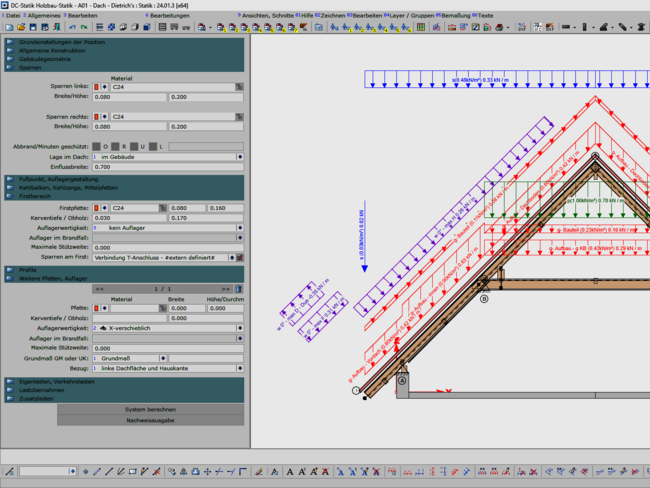
Time‑saving timber construction planning with structure and organization
With D‑CAD Pro, no wishes remain unfulfilled when it comes to roof joinery. By creating a complete building structure (stories, roof, walls, ceilings, trusses), all planning tasks, production preparation and organization, as well as support for delivery and assembly can be handled from one single digital model.
In addition to entering warped roof surfaces and determining roof‑overhang areas, developed and undeveloped zones, the system also provides automatic component assignment for these areas.
Existing planning models can be seamlessly used as a basis for construction work via IFC import.
The input of wall, ceiling, and truss constructions is carried out efficiently in optimized input environments. Even complex component shapes can be generated easily using extrusion, rotation, and intersections.
For the production and assembly of roof, wall, and ceiling elements, the system provides the corresponding structure, automatic plans, component organization, and weight and center‑of‑gravity calculations.
Recurring constructions can be stored as flexible elements in libraries, allowing you to efficiently maintain and reuse your own standards. Entire input workflows can also be defined and recalled individually to work as quickly and error‑free as possible.
With DC‑Statik, components can be statically calculated in advance or transferred directly from the existing construction into the structural analysis. Verifiable documentation is available at the push of a button.
Plan outputs automatically generate dimensioned and annotated drawings tailored to the respective input area, dynamically linked to the 3D model. This minimizes rework when changes occur later in the process.
|
|
Timber structures designed with uncompromising efficiency
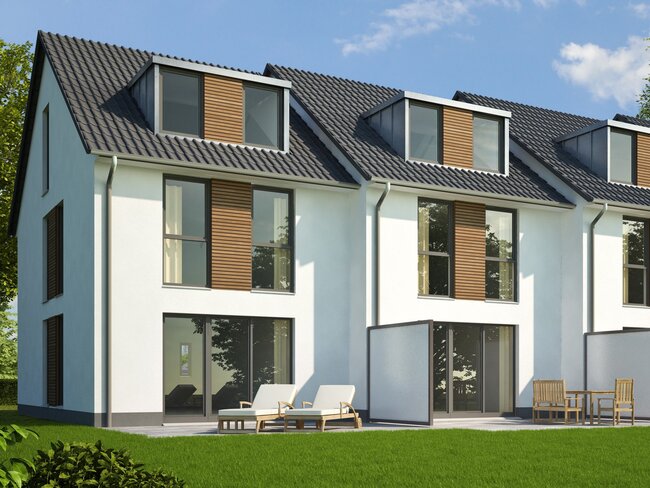
D‑CAD Premium significantly expands the program’s capabilities, especially through powerful automatic component generation for roofs, walls, and ceilings. This enables a sophisticated, efficient, and seamless planning and production workflow, ensuring consistent quality standards and the desired level of prefabrication.
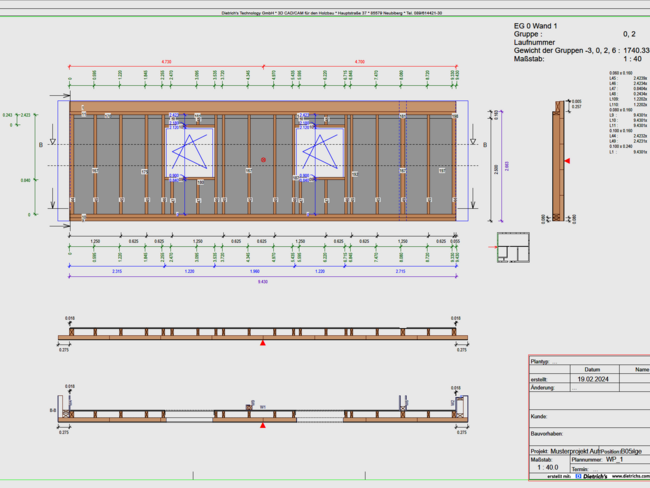
A freely configurable rule set provides detailed timber‑frame or cross‑laminated timber wall constructions at the push of a button.
All beam‑ and panel‑shaped components are placed precisely or distributed rule‑based within the wall. Your own detail solutions — including fittings and fasteners — are represented exactly. All required wall intersections, element joints, window and door openings, as well as recesses for electrical, plumbing, or other installations can be designed individually and flexibly. This drastically reduces construction time during work preparation.
In a similar way, ceiling and roof elements with all timber members and panel layers can be created safely and quickly. Layer boundaries within the element structure can be adjusted individually at element joints, and beam and panel components are generated automatically. Based on the center of gravity, the required lifting points are determined automatically and can be equipped with machining operations and selected accessories as needed.
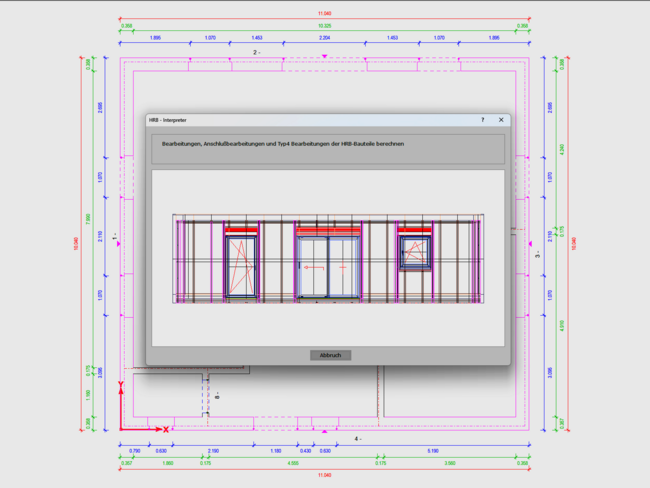
Additional powerful functions are available for an enhanced IFC import. Through targeted automatic assignments to windows, doors, recesses, and selected components, the relevant Dietrich’s tools receive the correct information and execute the appropriate operations. This allows, for example, wall installations from electrical, plumbing, ventilation, and similar trades to be fully automated with all necessary details and machining.
Your benefits at a glance
|
|
| Comparison | D-CAD Flex | D-CAD Pro | D-CAD Premium |
|---|---|---|---|
| Fast input from simple roofs to complex roofscapes | |||
| Carpentry‑oriented and timber‑construction‑ready input for roof components | |||
| Free 3D input for any components with supporting working planes | |||
| Automatic plans with dynamic links to the 3D model | |||
| Post‑processing of plans and free 2D CAD drafting | |||
| Essential planning interfaces such as PDF, DXF, DWG | |||
| Automatic material lists generated from the 3D model | |||
| 3D web viewer model | |||
| Complete building structure (stories, roof, walls, ceilings, trusses) | |||
| Element structure for roof and ceiling production and organization | |||
| Input for wall, ceiling, and truss constructions | |||
| Automatically dimensioned and annotated plans tailored to the input area | |||
| Structural component design with DC‑Statik, including verification documents | |||
| Easily expandable libraries for components and recurring workflows | |||
| IFC import and export | |||
| Determination of center of gravity and lifting points for roof, wall, ceiling | |||
| Automatic component generation for complete wall construction | |||
| Automatic component generation for ceiling and roof elements | |||
| TechOns (optional) |
Dietrich’s neo is based on Version 26 but adds a new, modern interface, intelligent interaction logic, and the integrated D‑Bot. neo is offered as a flexible subscription with always‑up‑to‑date licenses and maintenance.
No. You work as usual — just faster and more reliably. Many steps become shorter, and you can switch to the classic input mode at any time.
It searches the entire documentation, provides solution suggestions with source references, and guides you step by step through tasks — directly in the context of your work.
You start without a large upfront investment and choose the edition that fits your needs (Flex, Pro, Premium). Licenses, maintenance, and improvements are always up to date automatically.
Yes. You can adjust the edition based on your needs, project situation, or team size.
Your data remains usable. The interaction logic feels familiar — just more efficient. Onboarding is quick because neo respects CAD conventions and provides clear tooltips and previews.
Not necessarily. Dietrich’s neo is optimized for modern standard hardware. For large projects, we recommend powerful graphics cards and sufficient RAM.
Construction work runs locally. For license checks and updates, a connection is required at intervals. 3D sharing (Web Viewer / D‑Cloud) requires an internet connection.
Regularly and without major migration jumps. With the subscription, you receive new features and quality improvements continuously.
Get to know Dietrich’s neo in a short, personal conversation. Our specialists will answer your questions, demonstrate suitable workflows, and recommend the edition that best fits your team.
Call us, write to us, or send an inquiry via the form.
Phone: +49 89 61 44 21 0
Email: kontakt@dietrichs.com
Business hours: Mon–Thu 08:00–12:00 | 13:00–18:00 · Fri 08:00–12:00 | 13:00–16:00