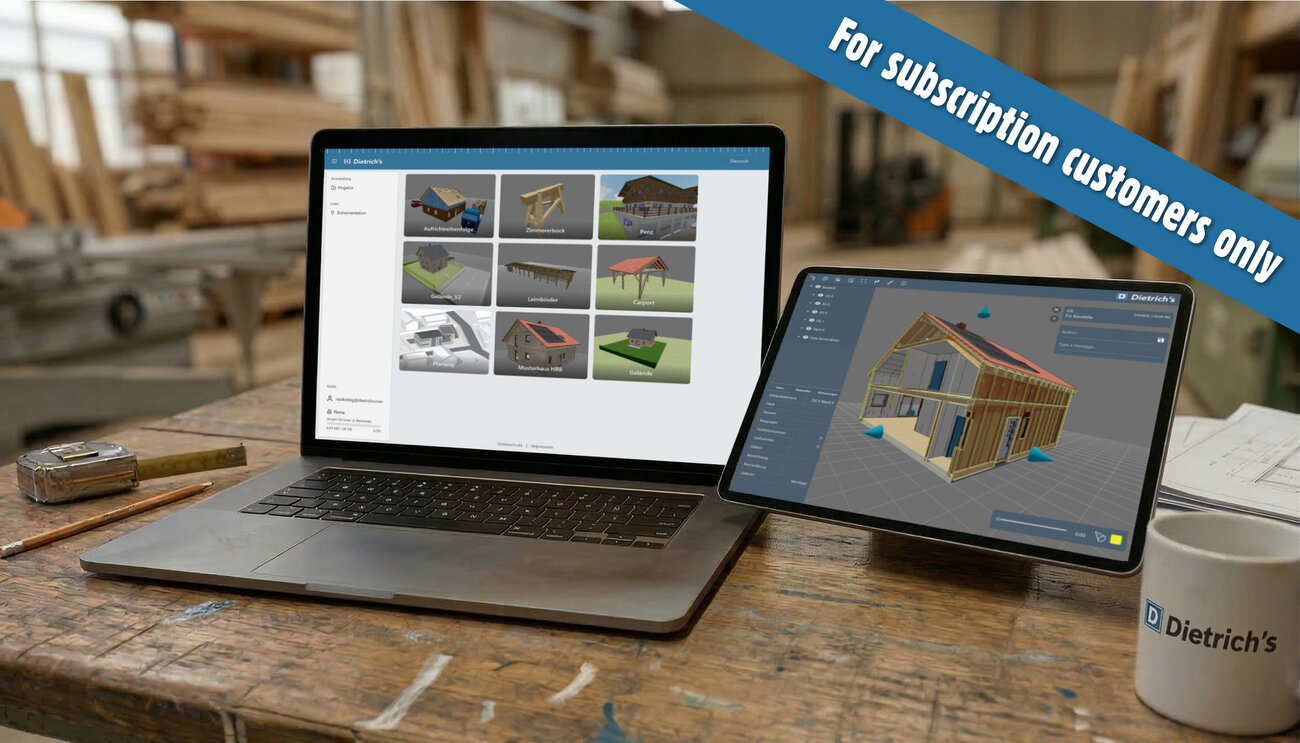
Dietrich's Online marks a new step in digital collaboration. The new platform combines Dietrich's Login, D-Cloud and 3D Web Viewer into a central online environment for your projects from Dietrich's software.
This creates an environment in which models can not only be created, but also shared, discussed and documented. Your new communication tool for planning, coordination and everyday project work.
Dietrich's Online is available exclusively on a subscription basis – both for new customers who start with a subscription and for existing customers who switch to a subscription.
The easiest way to show your model
Explaining models, agreeing on changes or discussing details – communication often takes time in everyday project work.
Dietrich's Online and the D-Cloud make this much easier. The D-Cloud is your personal online area for your 3D models and project-related files from the Dietrich's environment.
You can upload your model directly from Dietrich's to the D-Cloud and make it available via a share link in your browser. Project participants can open the model immediately – without installation and without additional software.
In addition to the model, other files can also be stored in the project, for example:
All content is clearly organised into projects.
A shared cloud storage space is available for each company licence. Uploaded files remain stored permanently and can be accessed again at any time.
This creates a central location for the most important project information.
The 3D web viewer – your model in the browser
With the new 3D web viewer, you can present your models directly in your browser.
The model is exported from DICAM and stored in the D-Cloud. A share link can then be generated, allowing other people to open the model immediately.
The viewer works on all common browsers – on desktop computers as well as on tablets or smartphones.
This makes it possible, for example, to:
The viewer offers numerous functions for easy orientation in the model.
Range of functions:
This makes the model understandable even for people who do not work with CAD software themselves. Your model thus becomes a common basis for decisions.
Collaboration directly in the model
Scenes are a special feature of the 3D web viewer.
Scenes save a specific view of the model – for example, a connection, a roof structure or a relevant detail area. Using the clip box, you can crop the model to the desired view and save it exactly as a scene.
These scenes can be annotated and remain visible to everyone who has access via the share link.
Project participants can:
This creates traceable communication directly in the model.
Instead of formulating long descriptions, a detail can simply be marked and commented on in the model. This allows questions to be clarified more quickly and decisions to be better documented.
Getting started with Dietrich's Online is that easy
Getting started with Dietrich's Online is deliberately straightforward.
Your model will then be available online immediately.
Availability
Dietrich's Online is available to all subscription customers.
Access to Dietrich's Login, D-Cloud and 3D Web Viewer is available to all customers who use Dietrich's on a subscription basis – both new customers and those switching from an existing maintenance contract.
If you would like to use Dietrich's Online, please contact us. We will show you the options available for your current situation.
The next step in digital timber construction
The launch of Dietrich's Online marks a new step towards networked working in timber construction.
Models can be shared more easily, projects coordinated more transparently and information communicated more quickly.
Try it out and bring your next project directly to the web.
Unfortunately, the automatic update does not work in this case. Please download the Patch and install it manually.
